

How to Update your Nvidia Drivers
If you're running on old, or out of date drivers you may need to update them to the latest version. You can follow this guide to do so.
-
To Update your drivers, go to NVIDIA's official driver website. (https://www.nvidia.com/en-us/drivers/)
-
Search for your GPU model in the search bar in the middle of the page.
-
Select your GPU model from the short list that should appear.
-
Then, Select "Download" under the Game Ready Drivers, best for Gamers.
-
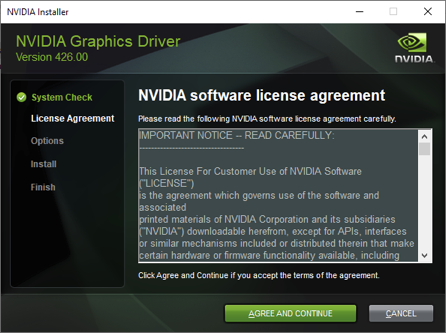
After you have clicked 'Download', your driver's installation file will start downloading. After it has downloaded, open the .exe file and let it load up a bit. After a few mins, you will be presented with this screen.
-
After you are presented with the screen, click 'AGREE AND CONTINUE'.
-
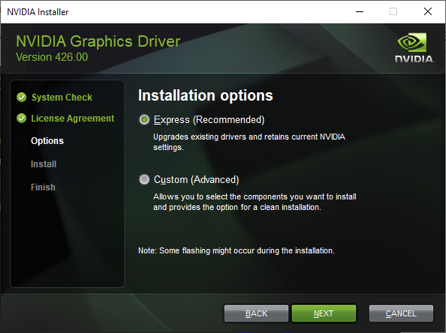
After you have clicked on 'AGREE AND CONTINUE', you will be presented with some installation ways. Select 'Express' for the default installation or Select 'Custom' if you want to customize your installation. After that, select 'Next' and your installation your begin.
-
After your installation has finished, restart your PC to make sure that your drivers are properly installed.
-
Open Salad and let it run for 30-40mins. Contact Salad Support if your issue persists.
Last updated on