

Enable Virtualization by Motherboard: MSI (American Megatrends)
Depending on your hardware configuration, your motherboard manufacturer's software may dictate how and where BIOS settings can be accessed and modified. This guide details common BIOS setup patterns on machines equipped with a motherboard manufactured by MSI or American Megatrends.
If you don't know what kind of motherboard you are using, please see Identifying Your Motherboard.
With Intel Processors
-
Restart or boot your computer.
-
Immediately press the Del to enter the BIOS Setup Utility. You will be directed to a screen that says "Aptio Setup Utility – American Megatrends, Inc."
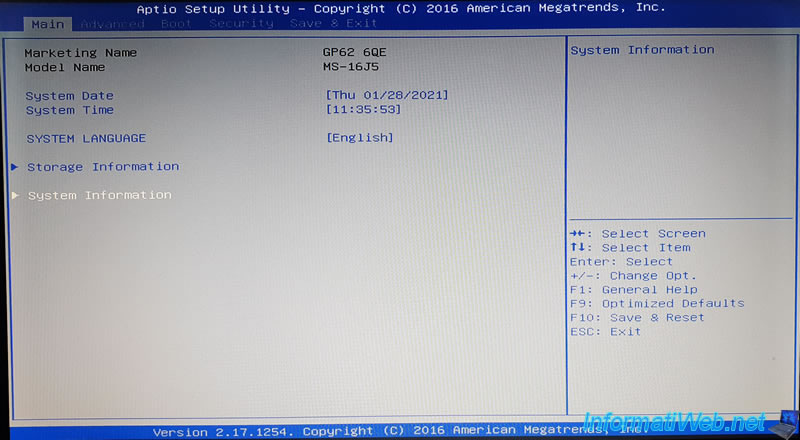
-
Using the arrow keys, navigate to the Advanced tab.
-
Scroll down to find the Intel Virtualization Technology setting.
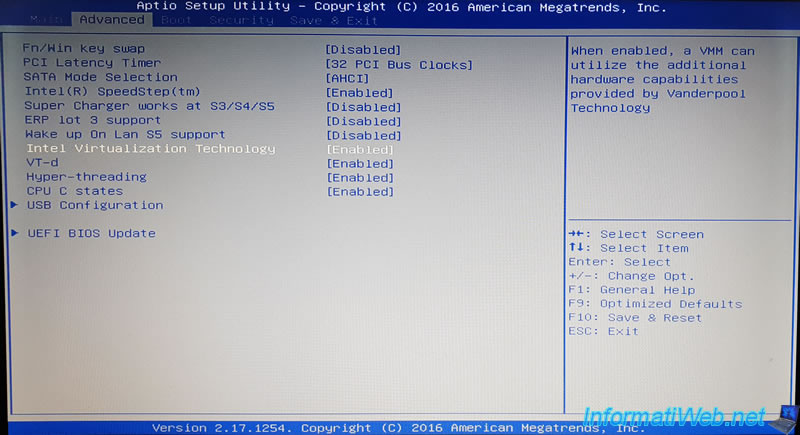
-
Enable this setting with the left or right arrow key.
-
Press F10 to save your configuration changes and exit.
With AMD Processors
On most systems equipped with an AMD processor and a motherboard from MSI, virtualization is enabled by default.
-
Restart or boot your computer.
-
Immediately press the Del to enter the BIOS Setup Utility.
-
Using the arrow keys, navigate to the Advanced tab.
-
Enable IOMMU with the left or right arrow key.
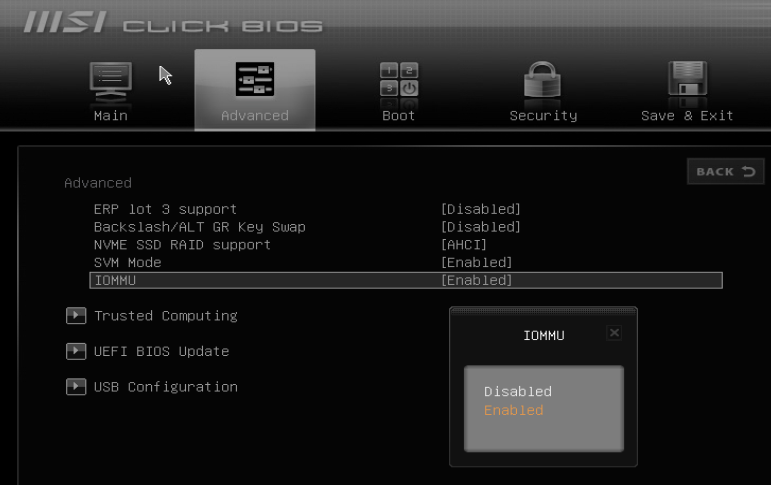
-
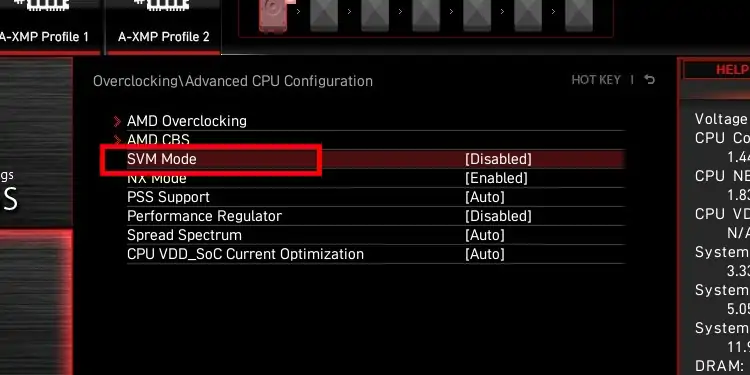
Enable SVM Mode with the left or right arrow key.*
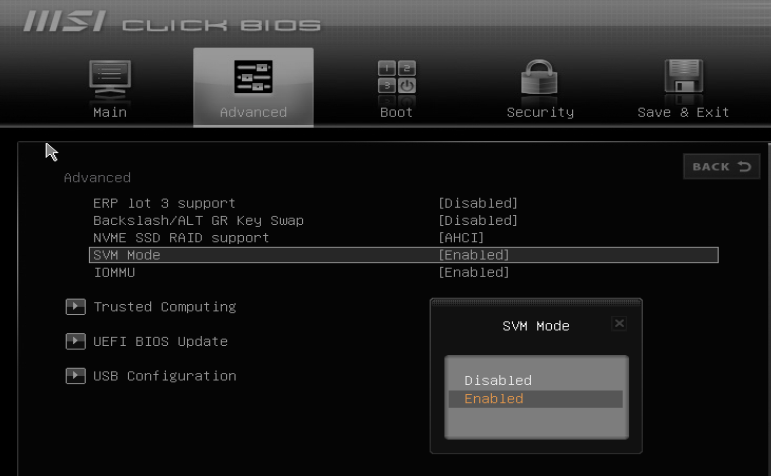
*In the utility software of certain MSI motherboards (especially those produced since 2019), these virtualization features may be listed under the Overclocking tab, within the Advanced CPU Configuration submenu.
-
Press F10 to save your configuration changes and exit.
Last updated on