

How to Update your AMD Drivers
If you're running on old, or out of date drivers you may need to update them to the latest version. You can follow this guide to do so.
-
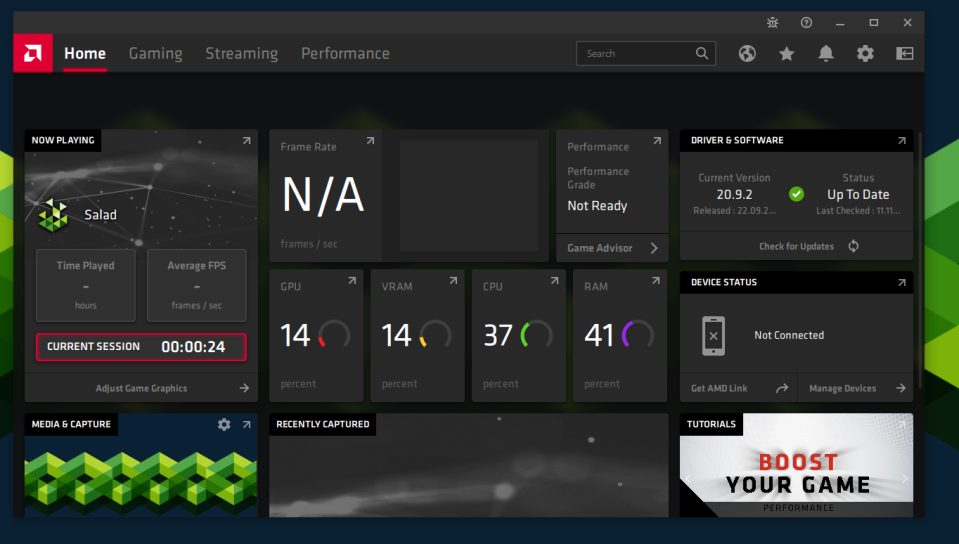
First, open up your AMD drivers by right clicking your desktop, or searching "AMD" into your Windows Search, it should look something like this:
-
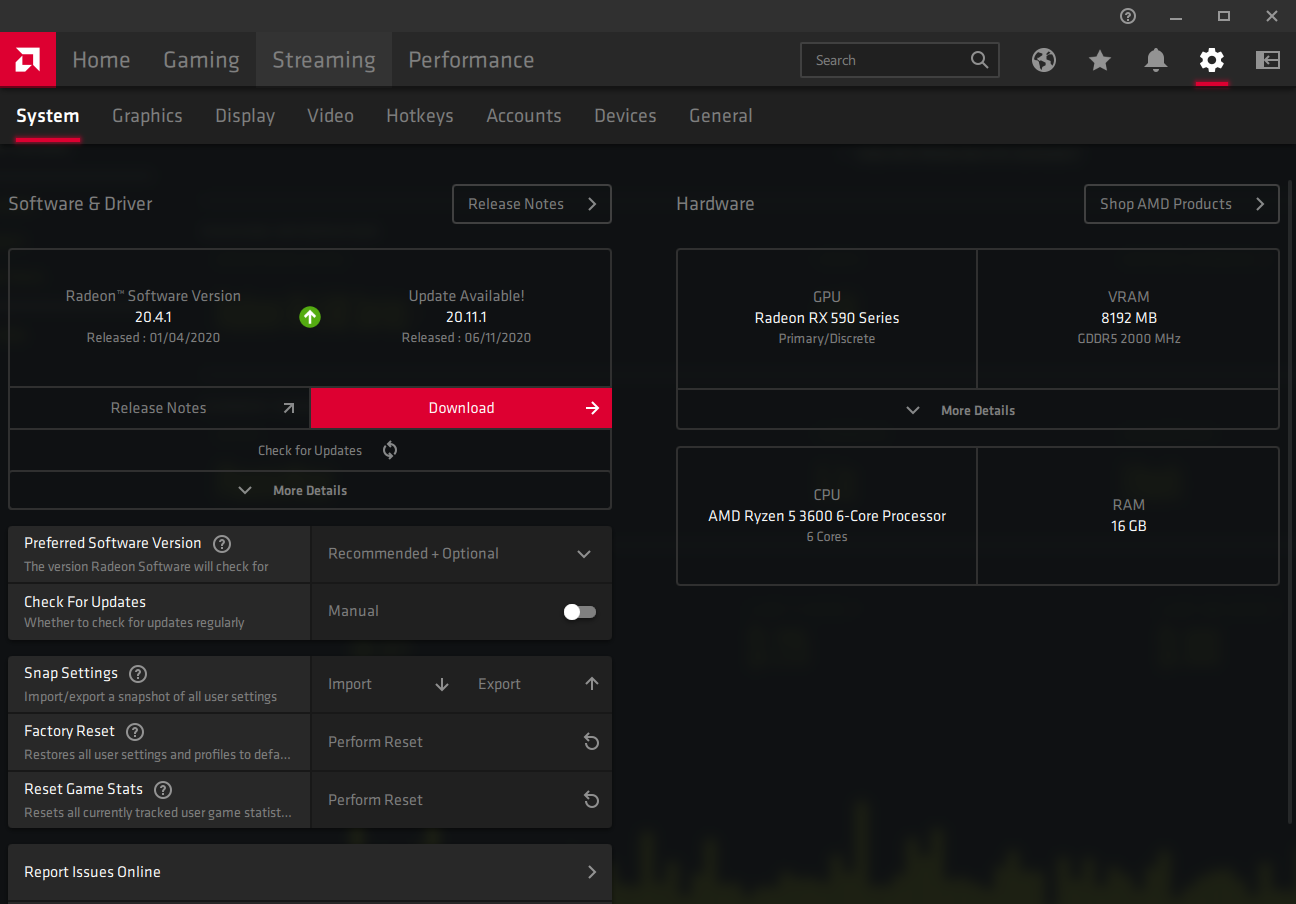
On the right hand side of the app there should be a settings gear icon. Click it and it will take you to the main settings page. On this page there should be a Red "Download" button, with text above stating that there is a new Driver Version.
-
After you have clicked on "Download" it will download and install your Driver Update. Simply wait for it to finish.
-
After your installation has finished, restart your PC to ensure the proper installation of your drivers.
-
Open Salad and let it run for 30-40 minutes, contact Salad Support if the issue persists.
Last updated on