

How to Check if your Salad Installer is Safe
It's important to make sure you've downloaded Salad from the right source, and that you have your hands on a legitimate bit of Salad Chopping software. Using third party builds of Salad, or downloading Salad from non-official sources, could result in your earnings being skimmed by bad actors, your account being breached, or possibly worse.
You can verify if the version of Salad you downloaded is legit by following this guide here:
-
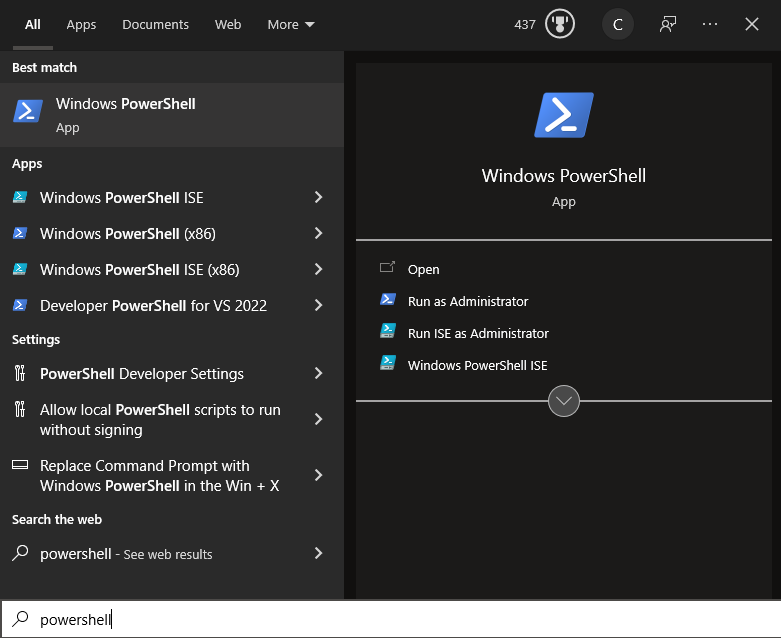
Open up Windows Powershell.
-
Navigate into the folder where your installer was downloaded. By default this is Downloads. You can do this by entering
cd Downloadsand hitting enter.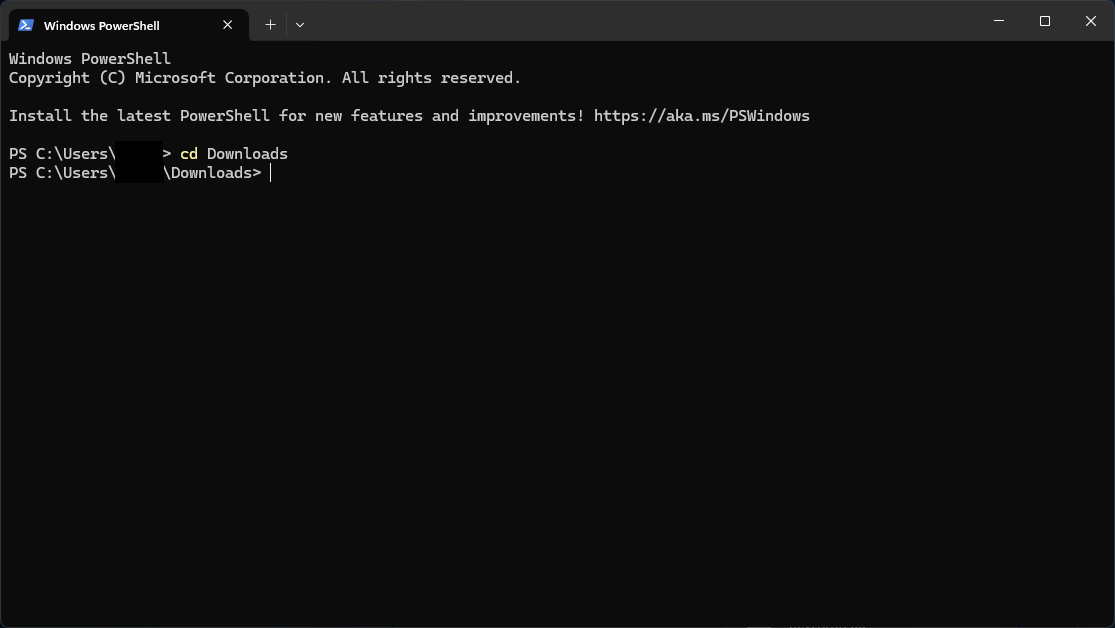
-
Once you're here, run the
Get-FileHash /file-name.exe | Format-Listcommand. For example:Get-FileHash Salad-1.8.6.exe | Format-List. This will return the Hash for the selected file.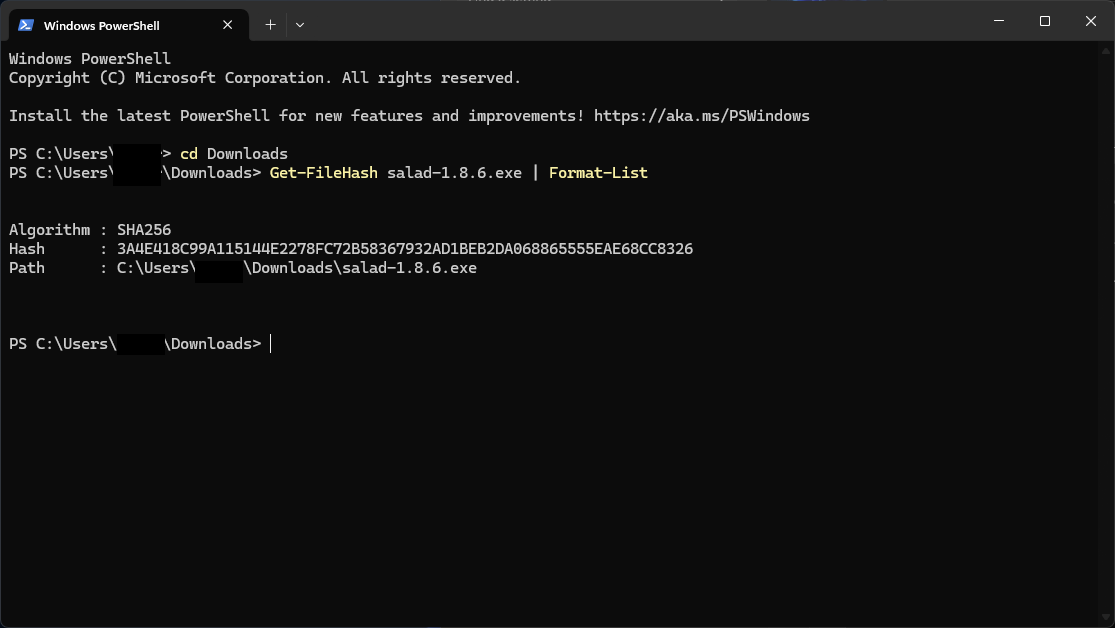
-
Then, compare the Hash to our Github Release page to check if your installer, or main salad.exe application is legit. If it doesn't match you should immediately remove it from your system, and run an Antivirus scan if installed.
Salad can safely be downloaded from two sources. Our official website, and our GitHub repository. The download domain for Salad is https://salad.com/download (accessible via https://salad.com and clicking the Download button), and our GitHub repository can be found here: https://github.com/SaladTechnologies/Salad-Applications
Last updated on