

GuidesUsing Salad
How to Use the Earnings Summary
The Earnings Summary allows you to see how much you've earned in total, track your current earning rates per machine, and view your historical earnings in either a table, or a graph. You can also view how long you've Chopped for total, as well as the total number of rewards you've redeemed.
Viewing all your Salad Machine's Earning Rates
- Open the Salad App and navigate to the Earnings Summary by clicking on your profile icon in the top left corner, then
selecting 'Earnings History' from the dropdown menu.

- Near the top of the page, you'll see a section labeled 'All Machines'.
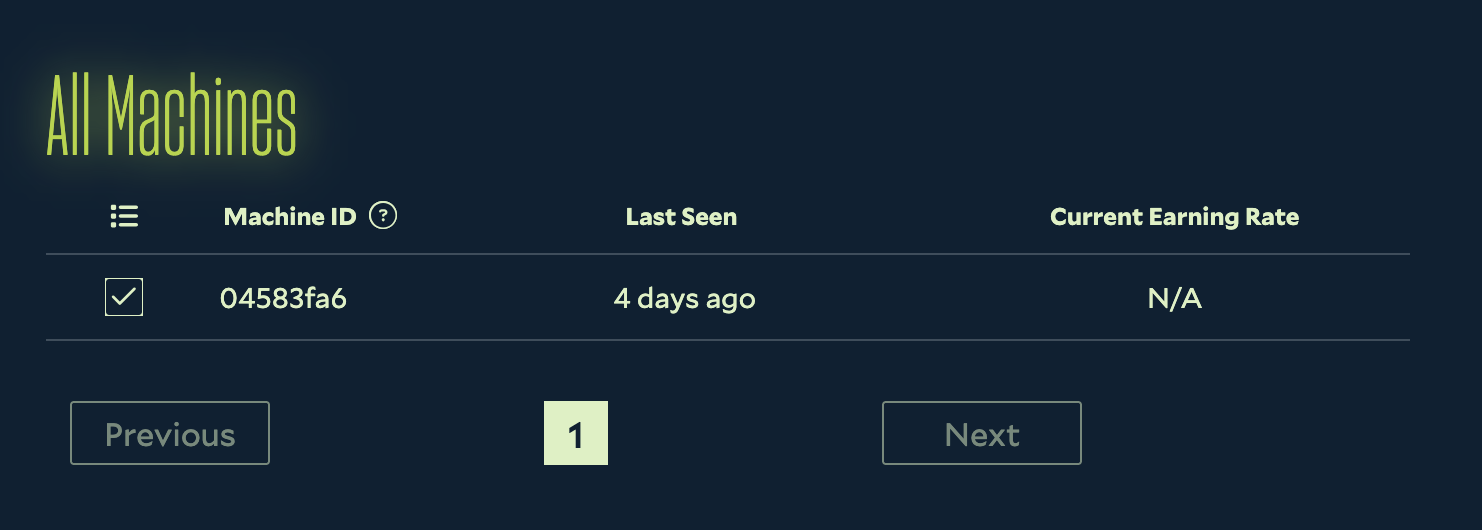
- Here, you can view the current earning rates for all of your Salad Machines, as well as when they were last seen.
This list is broken down by Machine ID. You're not currently able to name, or rename, your machines. The 'Last Seen' time is the last time that machine earned any Salad Balance.
Viewing your Historical Earnings in a Graph
- Open the Salad App and navigate to the Earnings Summary by clicking on your profile icon in the top left corner, then
selecting 'Earnings History' from the dropdown menu.
- Scroll down to the 'Earning History' section.
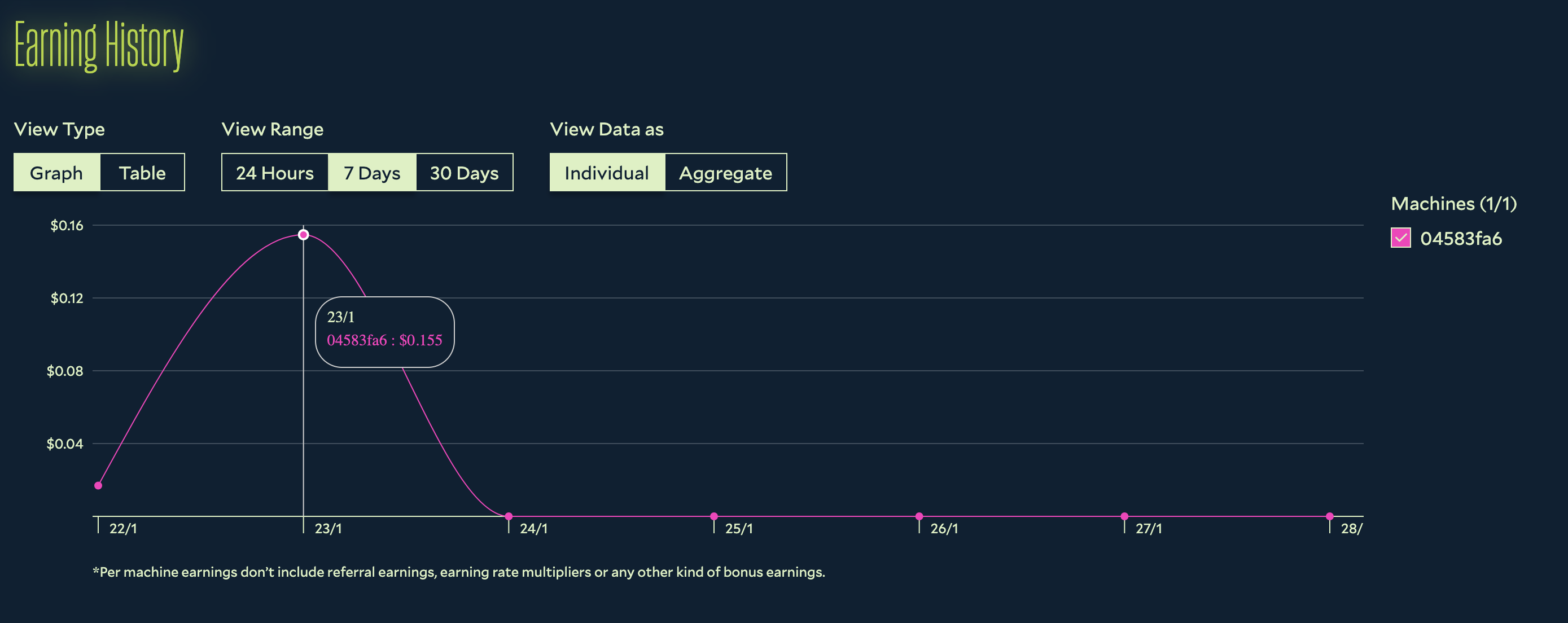
- Select the 'Graph' tab to view your historical earnings in a graph format.
- Here, you can adjust the timeframe to the last day, week, or month. You can view your earnings as total earnings for your account, or broken down by individual machine. You can also hover over the graph to see your earnings at specific points in time.
You're not currently able to rename your machines, but you can identify them by their Machine ID.
Viewing your Historical Earnings in a Table
- Open the Salad App and navigate to the Earnings Summary by clicking on your profile icon in the top left corner, then
selecting 'Earnings History' from the dropdown menu.
- Scroll down to the 'Earning History' section.
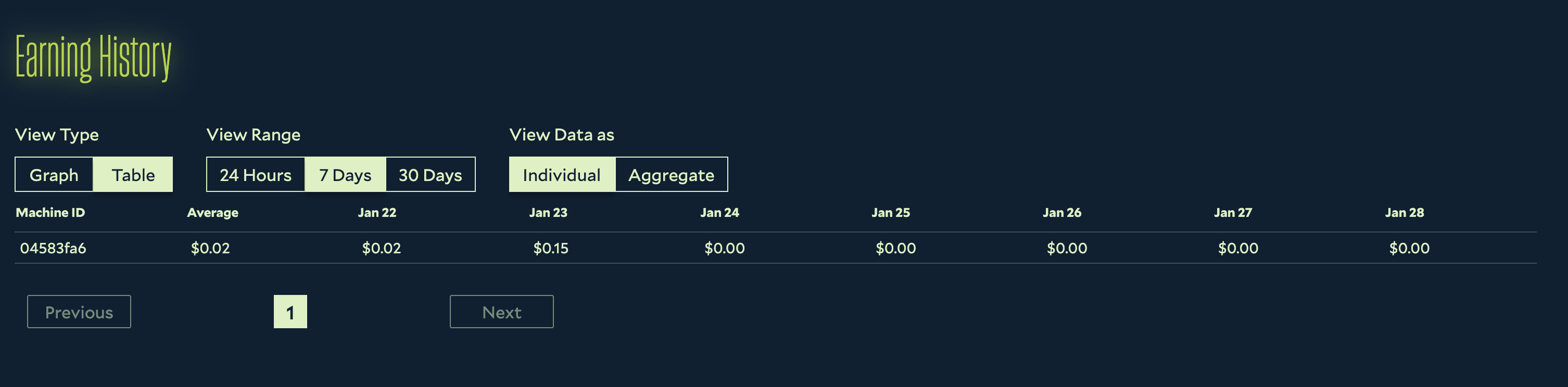
- Select the 'Table' tab to view your historical earnings in a table format.
- Here, you can adjust the timeframe to the last day, week, or month. You can view your earnings as total earnings for your account, or broken down by individual machine. You can also click the table entries to see your earnings at specific points in time.
You're not currently able to rename your machines, but you can identify them by their Machine ID.
Edit on GitHub
Last updated on