

GuidesUsing Salad
How to Enable and Disable Hardware
When running Salad, we give you the option to choose which hardware Salad will share to earn you Salad Balance. You can use the following guide to learn how to enable, or disable certain hardware.
-
Open up your Salad app.

-
Click onto your Salad profile.

-
Open Settings from the dropdown list.
-
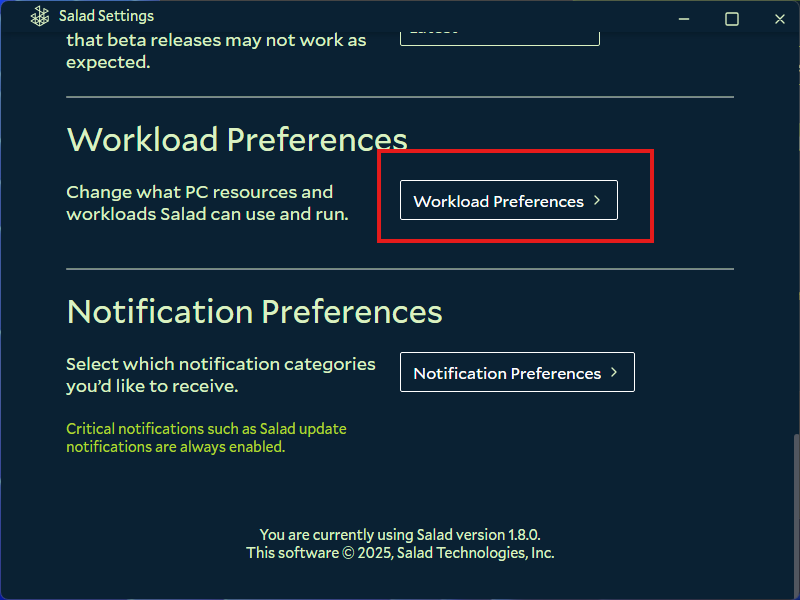
Then, Scroll down and open Workload Preferences.
-
On this page, you'll be able to select whether Salad can use your CPU, or your GPU. Simply enable or disable them from the dropdown menus.
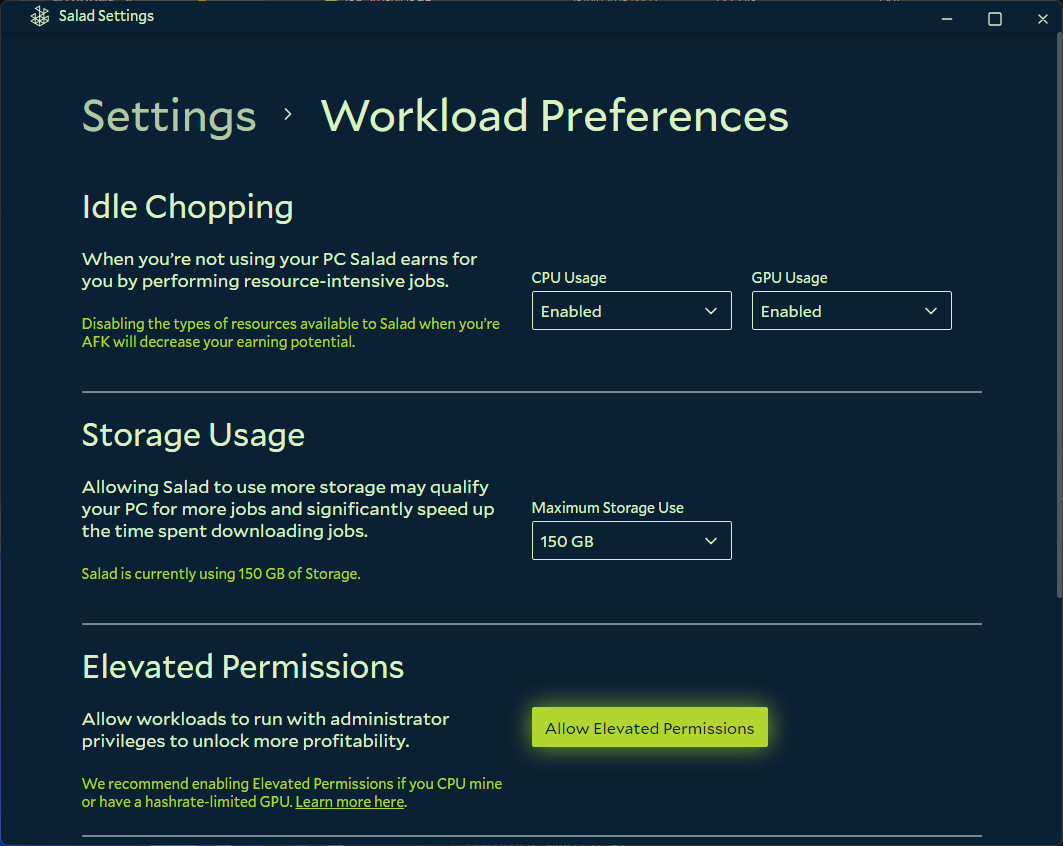
We recommend enabling as much hardware as possible to maximize your earnings, and ensure we can run a job on your machine if one becomes available.
Edit on GitHub
Last updated on