

How to Redeem PayPal
Ensure you are located in one of the supported countries before purchasing the reward:
PayPal provides an easy way to cash out your Salad Balance to your own bank accounts in your home currency. You can redeem it from our Storefront.
After you redeem your reward, follow these steps to receive your balance:
-
Open your email to find the reward:
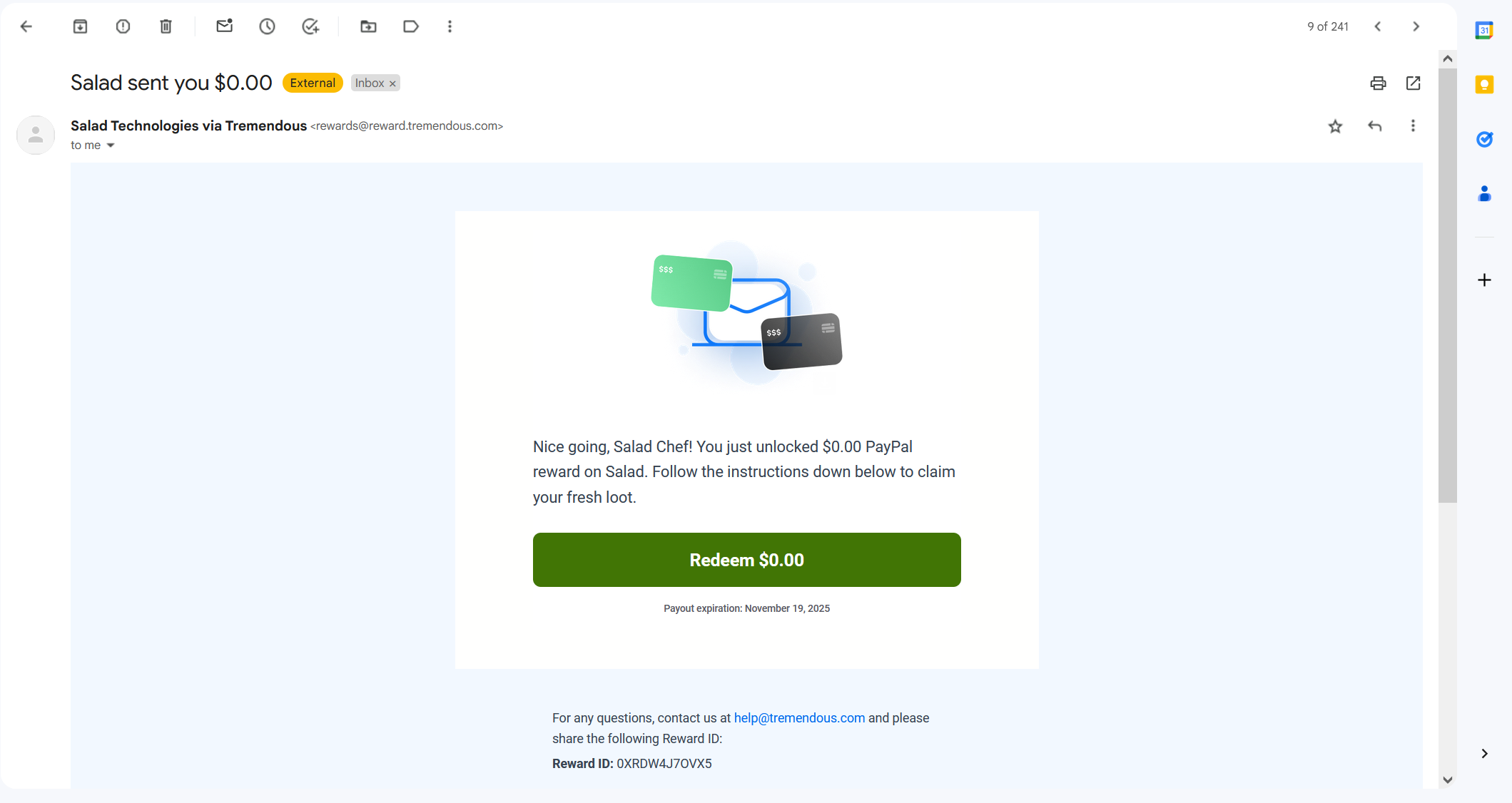
PayPal Redemption Email
-
Click on the redeem button, which will bring you to the provider page:
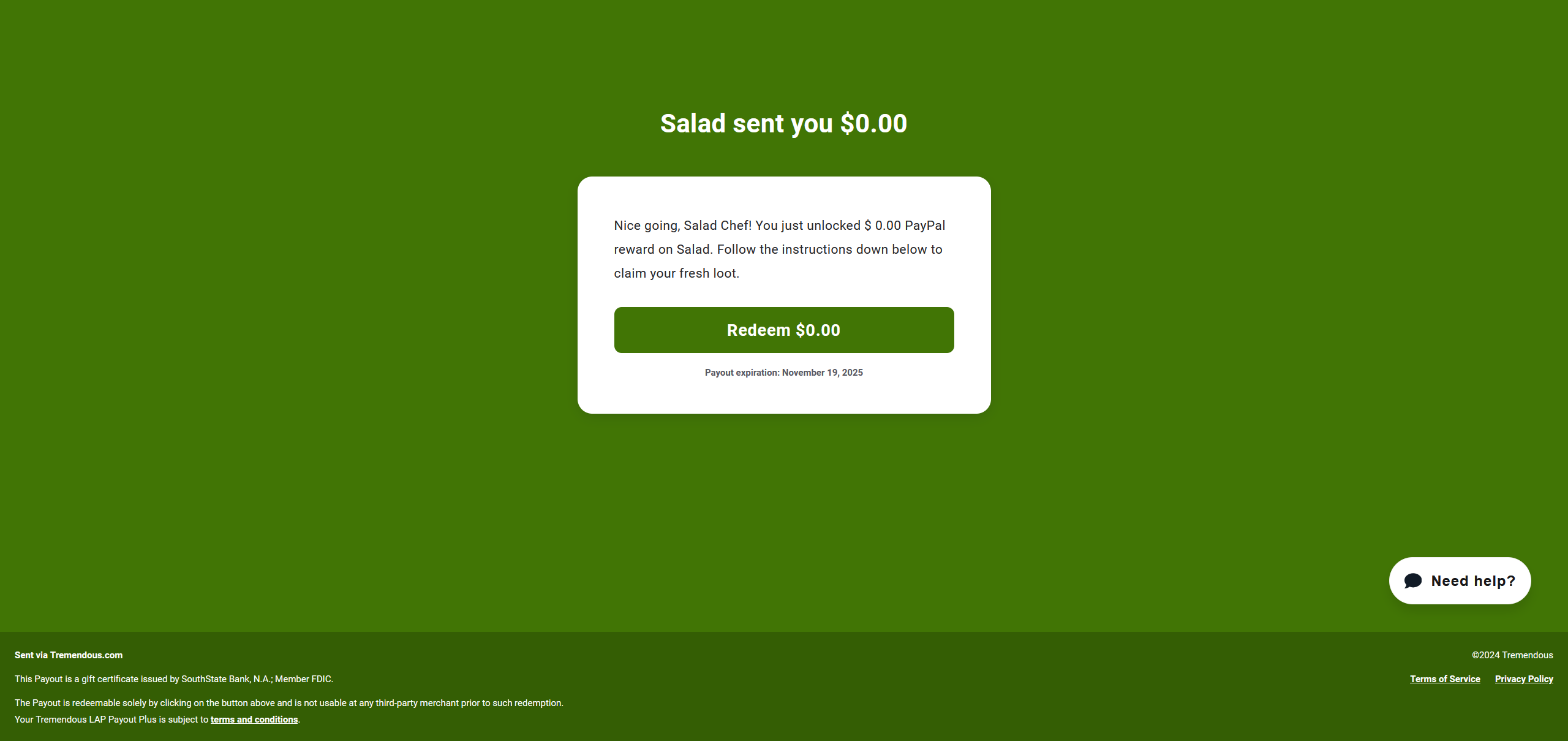 )
)Redeem Page for your PayPal Reward
-
Click on the redeem button, you should see a new window open:
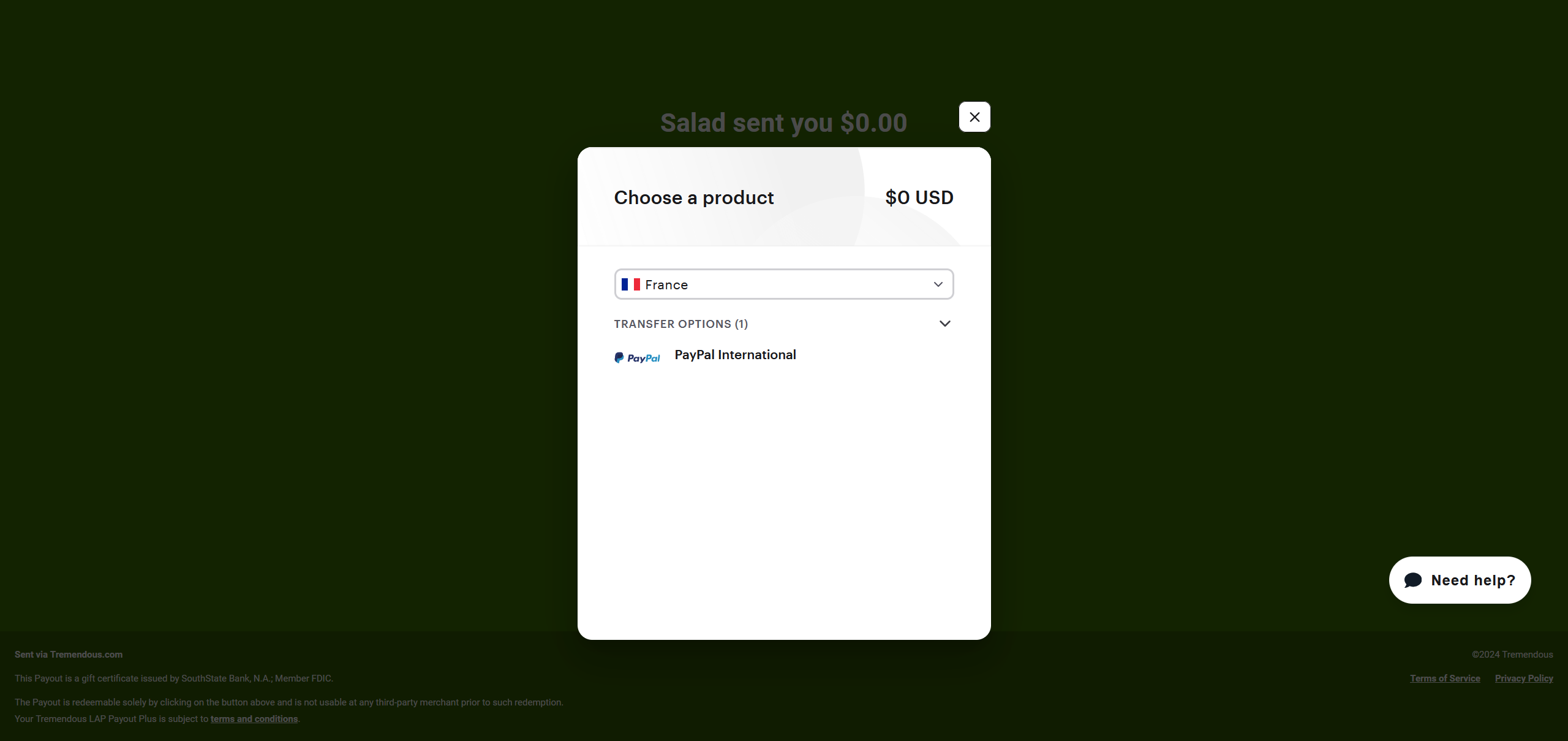
Redemption Window
-
Select your PayPal's account country, then click on the first transfer option (most cases, PayPal International - except for USA where the option will be PayPal USA):
-
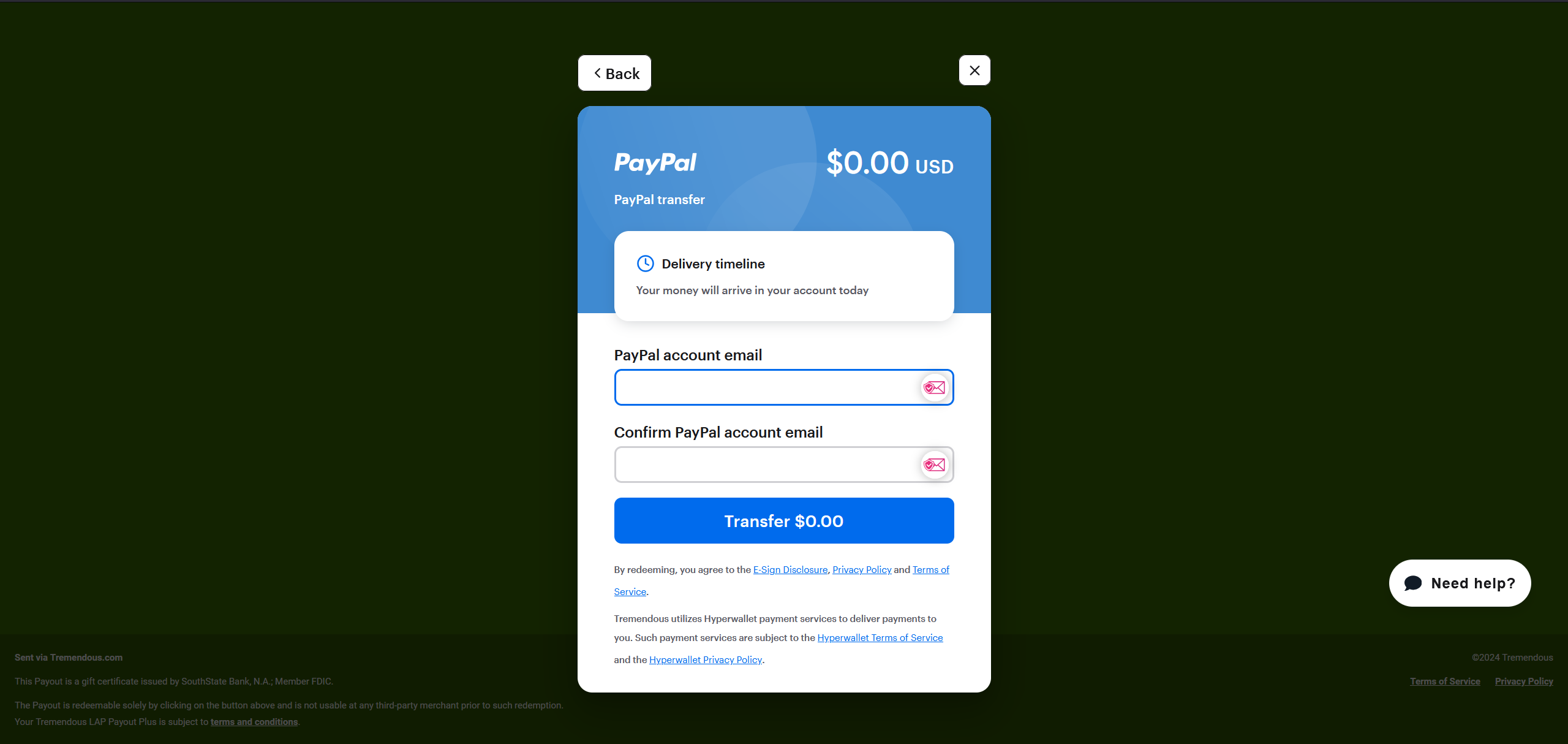
Final PayPal Step
-
Finally, enter the email that is linked to your PayPal account, and press "Transfer":
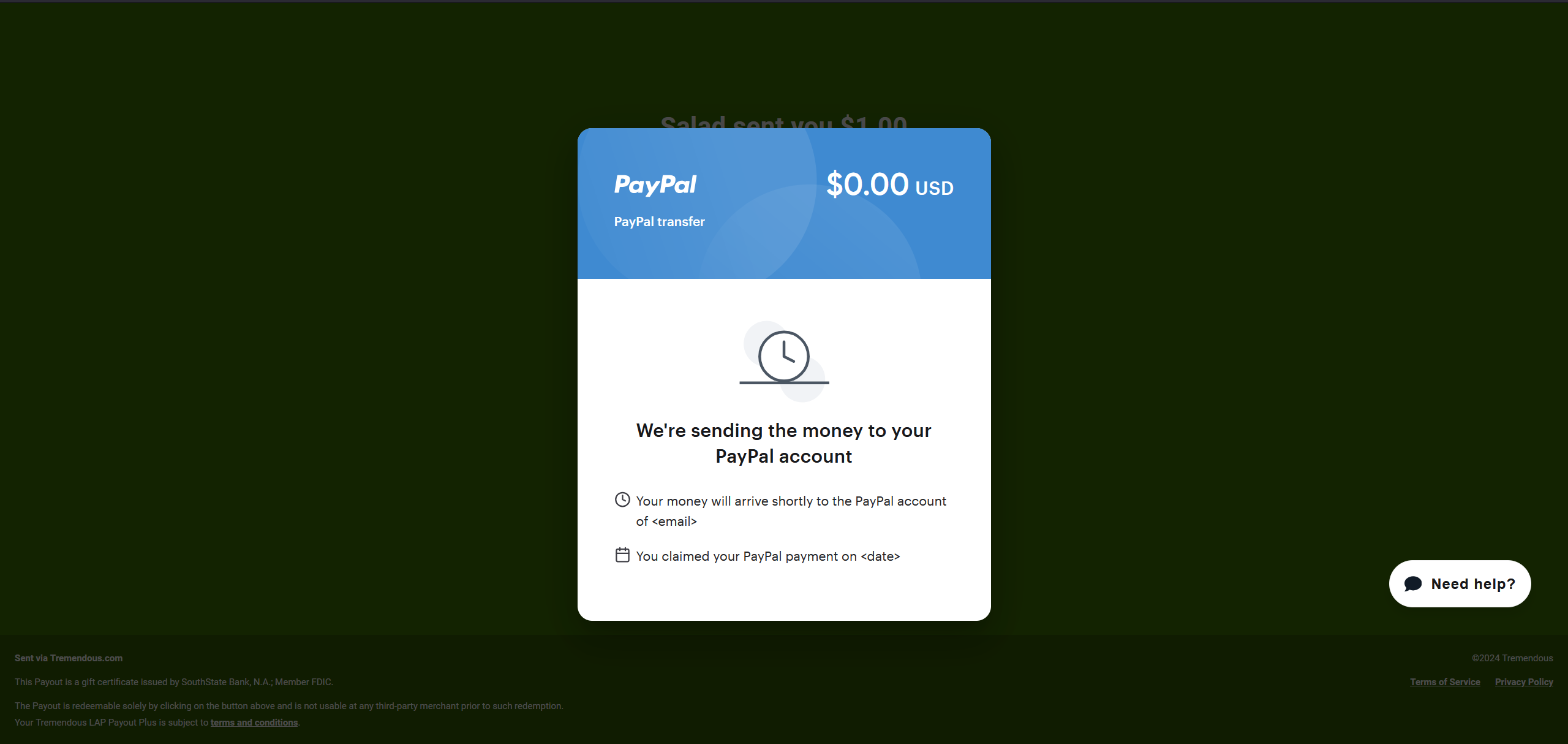
Our provider will start to process the transfer and send the balance to your account!
Note: as PayPal rewards have to go through a transaction page, please allow up to 24 hours for the transaction to be completed and the balance received on your account.
Thanks for Chopping Chef!
Last updated on