

FAQCompatibility
Does My PC Support Virtualization?
Many modern computers support virtualization, and enable these features by default. You may check whether these features are supported on your machine as follows:
- With your computer on, press Ctrl + Alt + Del.
- Select Task Manager from the menu.
- Click the Performance tab.
- If necessary, click CPU from the column on the left.
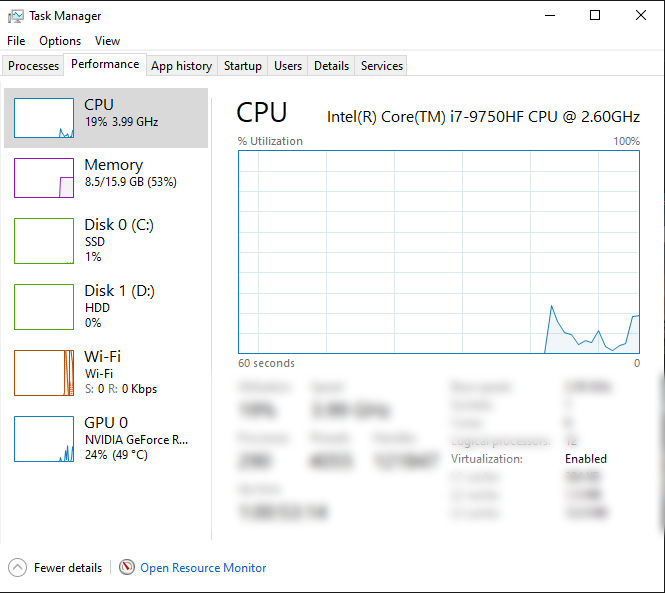
- Below the chart you should see an attribute labeled "Virtualization" that displays the current status of virtualization support as Enabled or Disabled.
If you do not see the "Virtualization" attribute listed in the information panel, it is likely that your hardware configuration does not support virtualization.
Edit on GitHub
Last updated on