

GuidesGetting Jobs
How to set up a demand alert
Get an email and in-app notification when demand for your GPU on the Network Monitor reaches a level you choose.
A demand alert notifies you when demand for your hardware on the Network Monitor rises or falls to a level you choose. It is useful when demand for your GPU is low and you would rather pause Salad until it picks up again.
- Open the Network Monitor in your web browser.
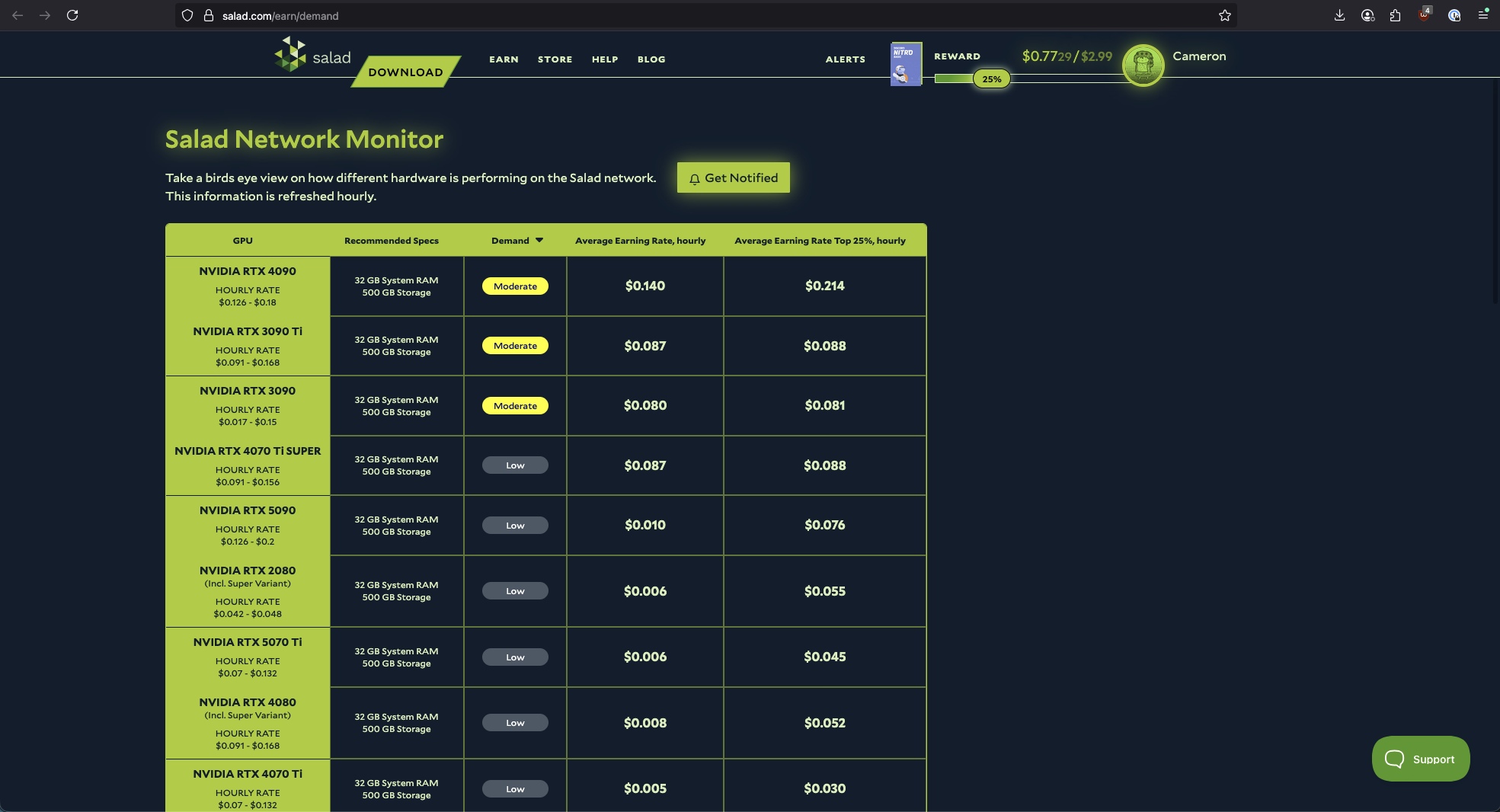
- Log in with your Salad account if you haven't already.
- At the top of the page, select Get Notified.
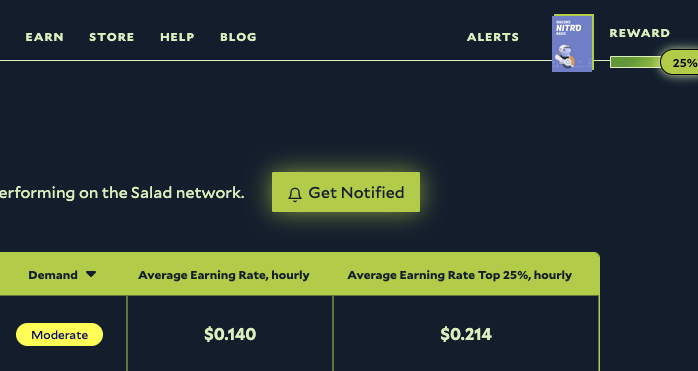
- Choose the hardware type you want alerts for from the dropdown.
- Choose the demand level that should trigger the alert: Low, Moderate or High.
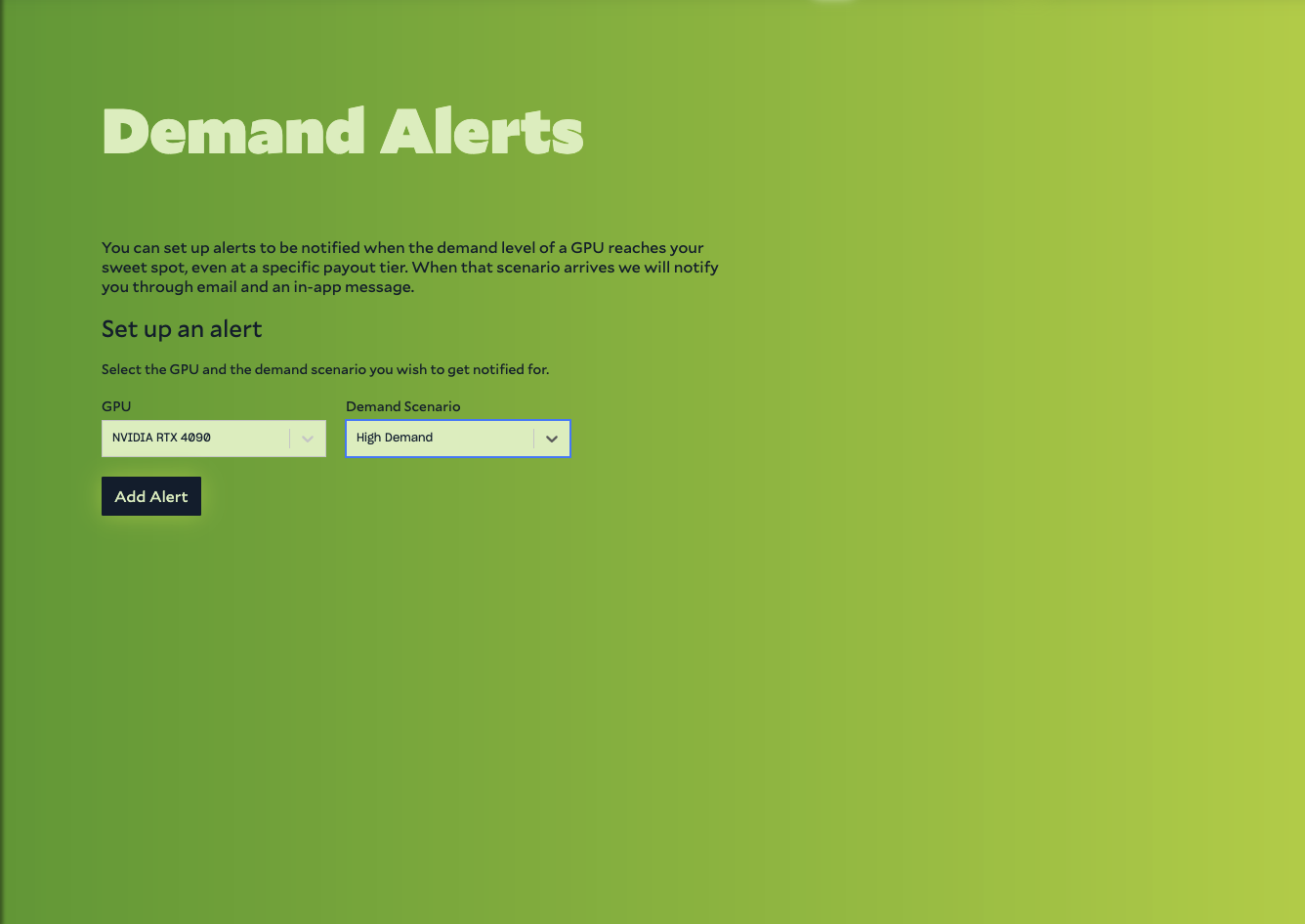
- Click Add Alert. You can add several alerts for different hardware types and demand levels.
You get an email and an in-app notification when demand for that hardware reaches the level you picked. To stop the alerts, click Unsubscribe on the same page.
Not sure which hardware type to pick? See What GPU or CPU is Salad detecting?.
Edit on GitHub
Last updated on